
Download Document Scanner PDF Creator by Lufick APK – Document Scanner, PDF Creator, Mobile Tool, Free App, Android
Overview
Document Scanner PDF Creator by Lufick is a mobile application designed to streamline the process of converting physical documents into digital PDFs. The app serves as both a scanning tool and a PDF creation utility, enabling users to capture, compile, and manage documents directly from their smartphones. Targeted primarily at individuals and professionals who frequently handle paper-based records, it offers a convenient solution for digitizing receipts, contracts, forms, and other important documents.
Developed by Lufick, an Indian-based developer, the app emphasizes accessibility and simplicity, aligning with the growing demand for efficient mobile document management tools. It functions similarly to popular apps like CamScanner and Tiny Scanner but includes additional editing features to improve output quality. The software operates entirely on mobile devices, with no need for a desktop environment.
Users can scan documents using their device’s camera, automatically crop and enhance the images, and compile multiple pages into a single PDF file. The app supports both single-page and multi-page document creation, making it suitable for users who need to organize lengthy documents. While the developer did not provide detailed information about the app’s technical architecture or backend systems, its core functionality is centered around ease of use and immediate access to document digitization.
The app is free to download and use, with no ads or in-app purchases, offering a no-strings-attached experience.
Key Features & Capabilities
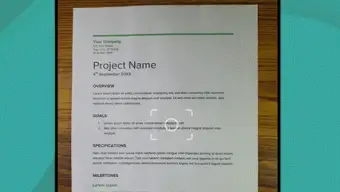
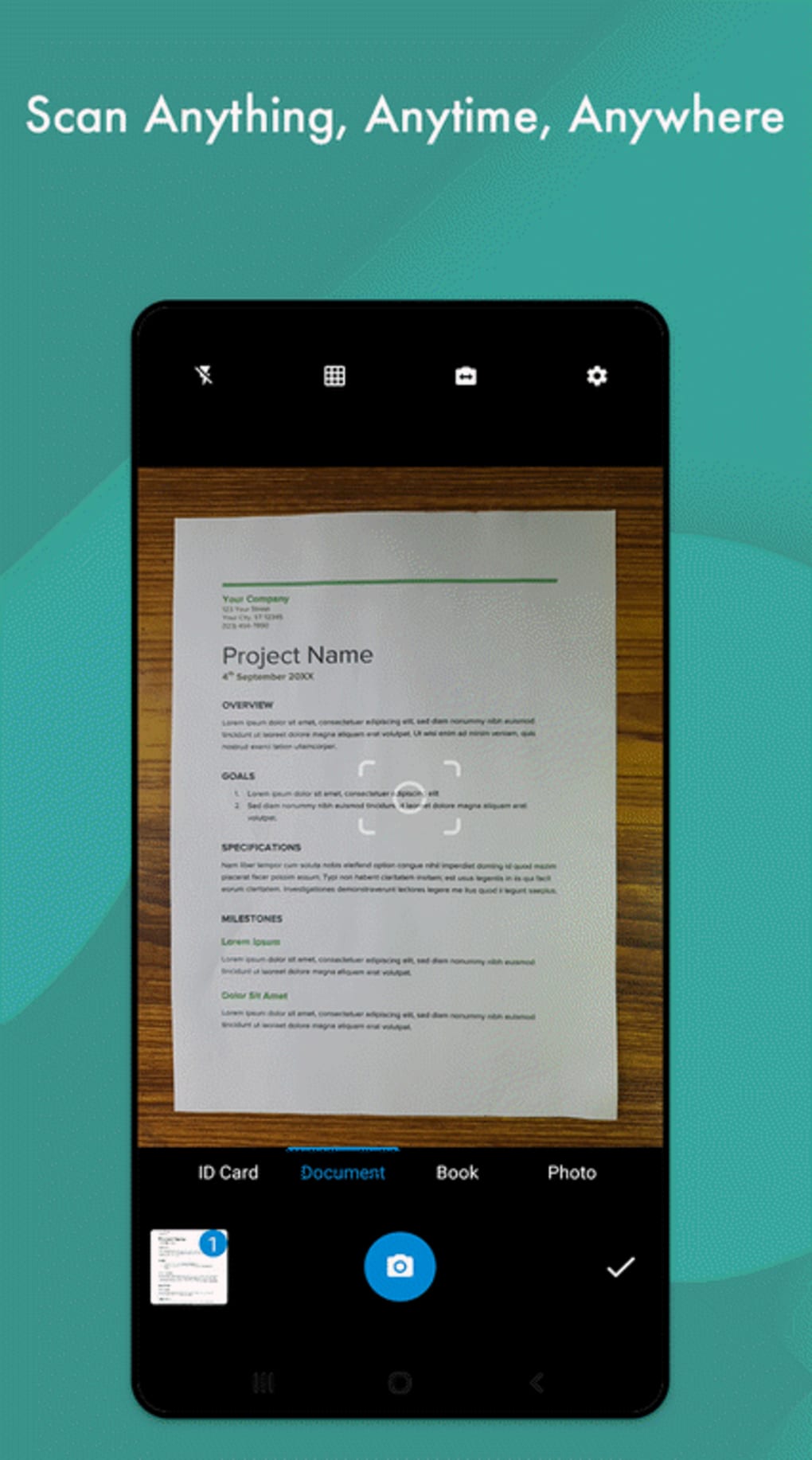
- Document Scanning with Camera Integration – Users can scan physical documents using their device’s camera, with real-time framing assistance to ensure proper alignment. The app automatically detects document edges and crops the image for a clean result.
- Multi-Page PDF Creation – The app allows users to scan multiple pages and compile them into a single, organized PDF file, regardless of the number of pages required.
- Automatic Image Enhancement – Features such as smart cropping, image sharpening, and contrast adjustment are applied automatically to improve readability and visual quality.
- Manual Editing Tools – Users can manually adjust color balance, brightness, and image size to further refine scanned documents.
- Export and Sharing Options – Scanned documents can be exported as JPEG files or directly printed. PDFs can also be shared via QR code or uploaded to cloud storage services.
- Ad-Free and In-App Purchase-Free – The app is completely free to use with no advertisements or hidden costs, making it accessible to a broad audience.
These capabilities make the app ideal for students managing study materials, professionals handling contracts, and individuals organizing personal records. The ability to generate PDFs on the go without requiring external software enhances workflow efficiency. The inclusion of editing tools ensures that scanned documents are not only digitized but also visually optimized for clarity and professionalism.
User Interface, Workflow & Performance
The user interface of Document Scanner PDF Creator is designed with simplicity in mind, resembling a standard camera app to ensure intuitive navigation. Users can initiate scanning with a single tap, and the app guides them through the process with visual cues for proper document alignment. After scanning, a preview screen appears, allowing users to confirm or re-scan the document before finalizing.
The workflow is linear and efficient, minimizing the number of steps required to create a PDF. However, performance details were not specified by the developer. Based on general software behavior patterns, users may experience delays during scanning, image processing, and PDF compilation, especially when handling multiple pages or applying editing adjustments.
The app’s responsiveness may vary depending on the device’s hardware capabilities. The developer did not specify resource usage details such as CPU or RAM consumption. Stability during prolonged use or batch scanning was also not documented.
Users are advised to test the app on their specific device to evaluate real-world performance. Despite potential delays, the app maintains a functional interface throughout the scanning and editing process.
Compatibility & System Requirements
Document Scanner PDF Creator is designed for Android mobile devices. The app is available as an APK file, indicating it is distributed outside official app stores. The developer did not provide detailed information about supported Android versions, minimum hardware requirements, or installation size.
Compatibility information is limited to the platform, with no mention of specific device models or system configurations. The developer did not specify whether the app supports tablets or only smartphones. Installation size was not listed, nor were any system requirements such as RAM, processor speed, or storage space.
Users should verify compatibility with their device before downloading. The lack of detailed technical specifications means that installation and operation may vary across different Android environments. For optimal performance, users are encouraged to ensure their device meets standard Android application requirements.
Pros and Cons
Pros
- Free to download and use with no ads or in-app purchases
- Simple, intuitive interface resembling a camera app
- Supports multi-page PDF creation from scanned documents
- Automatic image enhancement for improved clarity
- Includes manual editing tools for color and image adjustments
- Offers QR code sharing and cloud upload options
- Designed for mobile use with on-the-go document digitization
Cons
- Performance details such as processing speed were not specified
- No information on system requirements or minimum device specifications
- APK distribution may raise security concerns for cautious users
- Limited compatibility details for different Android versions
- Potential delays during scanning and editing processes
- Developer did not provide official support channels or update frequency
FAQ Section
Is Document Scanner PDF Creator available for iOS devices?
The app is currently designed for Android devices only. No information was provided about iOS compatibility or availability on Apple’s App Store.
Can I use this app without an internet connection?
Yes, the app functions offline. Scanning, editing, and PDF creation do not require an internet connection, although cloud sharing features may need connectivity.
Is the app safe to download and install?
The app is distributed as an APK file, which can be installed directly on Android devices. While the developer claims it is free and ad-free, users should ensure the source is trustworthy to avoid potential security risks.
How often does the app receive updates?
The update frequency was not disclosed by the developer. Users are advised to check the source of the APK regularly for new versions.
Does the app support exporting documents to other formats?
Yes, scanned documents can be exported as JPEG files. PDF export is the primary output format, and the app supports sharing via QR code or cloud services.
Final Thoughts + CTA
Document Scanner PDF Creator by Lufick offers a practical, ad-free solution for digitizing physical documents on Android devices. Its intuitive interface, combined with built-in PDF creation and editing tools, makes it a compelling choice for users seeking a simple yet functional document management tool. While performance details and system requirements remain unspecified, the app delivers core functionality effectively for on-the-go scanning and PDF compilation.
The absence of ads and in-app purchases enhances its value proposition, especially for users who prioritize privacy and cost efficiency. Though potential delays in processing and limited compatibility information may affect the experience on some devices, the app remains a solid option for mobile document scanning. For anyone needing to convert paper documents into digital files quickly and securely, this tool provides a straightforward path forward.
Download Document Scanner PDF Creator now.





.png)

